
Halloween Ghost Prank – Send a Ghost Video to Anyone
The easiest Halloween prank this year: a selfie video where a ghost slowly creeps up behind you, made from one photo in about a minute.
Use a front-camera selfie with some room behind your shoulder. No mirror selfies (the mirror gets its own ghost).
Free preview of the first 5.5s. Unlock the ending + HD download from $4.99. Sign in when you click Generate.
Who to prank (and what to say)
Mom
Send "Just got home, all alone tonight 🙂" with the Slow creep video. Wait for the call.
Partner
Send a "missing you" selfie video before bed. Sudden lunge works best after the lights are off.
Roommate
Use a selfie taken in your shared hallway or kitchen, then ask: "Did you hear something in here last night?"
Friends
Drop it in the group chat as a "new filter test" with no warning. Count how many people zoom in.
How to sell the prank
Use a real photo from today
A selfie from your actual room makes the ghost far more believable than a stock-looking photo.
Act normal in the message
Send it like a casual update. Never mention the ghost; let them find it.
Time it
Late evening works best. Sudden lunge is the one for a real jump.
Reveal it kindly
Tell them it is an AI prank once you get the reaction, especially with anyone who scares easily.
More Halloween ghost prank ideas
The "home alone" update
Text a selfie from your couch: "Everyone left for the party, quiet night in for me." The empty room behind you does the rest.
The long-distance partner
Send a goodnight video from your bedroom. Slow creep is perfect when they are about to turn the lights off too.
The office group chat
Post a selfie from your desk with "working late again 🙃". Keep it Slow creep for colleagues.
The dorm hallway
A selfie in a long, dim hallway is the scariest background there is. Send it to your floor's group chat at midnight.
The costume reveal
Take a selfie in your Halloween costume and send it as "how do I look?". Everyone will be looking at the shoulder instead.
The haunted house trip
Use a photo from outside a haunted attraction or an old building and caption it "we made it out… right?"
Plan the perfect prank night
Make the video earlier in the day so it is ready when you need it. Download the MP4 to your phone; a video file feels more real than a link and it plays automatically in most chats.
Send it in the evening, when people are already winding down. Do not add any warning or emoji that gives it away. If they reply with a question mark or "what is that?!", wait a minute before answering. That pause is usually when the best reactions happen.
For a bigger moment, make two videos from the same photo: start with Slow creep, and when they ask if it is real, send the Sudden lunge version as your "proof".
Slow creep or Sudden lunge for Halloween?
Slow creep is the safer bet for family and coworkers. The ghost rises quietly and ends cheek to cheek, so the scare builds as people notice her, and it works even with the sound off. It is the one that gets "wait, go back" replies.
Sudden lunge is for friends who asked for it. The first five seconds are the same, then she snaps toward the camera at 6 seconds with a loud sting. Send it to the friend who watches horror movies alone, or save it as the follow-up after a Slow creep.
Last-minute Halloween prank? This one takes a minute
No costume, no props and no setup. Take a selfie wherever you are, upload it and the video is usually ready in about a minute. That makes it an easy prank for the day of a party, during a boring evening at home, or right before you head out trick-or-treating with friends. Because it is a normal MP4, you can also schedule it as a story or post for later that night.
Keep it fun, not mean
A good prank ends with everyone laughing. Skip people who are genuinely afraid of horror, anyone with a heart condition, and anyone who is having a hard time. Never use it to scare young children, and only use photos of adults who would be fine with being in a prank.
Our ghost is designed to be creepy rather than gory: there is no blood, no wounds and no violence. That keeps the video safe to share in family group chats and on public accounts, and it is part of why it works so well. The scare comes from what you do not notice, not from anything graphic.
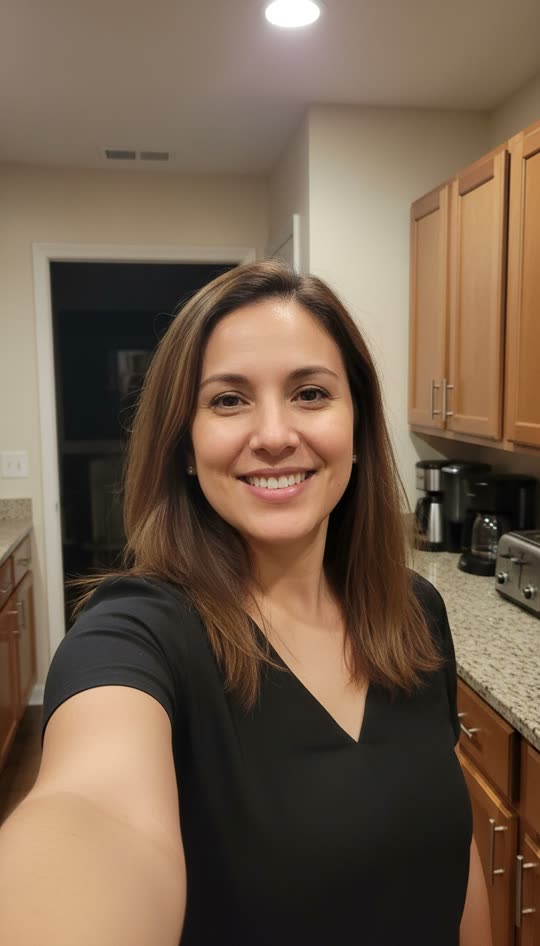
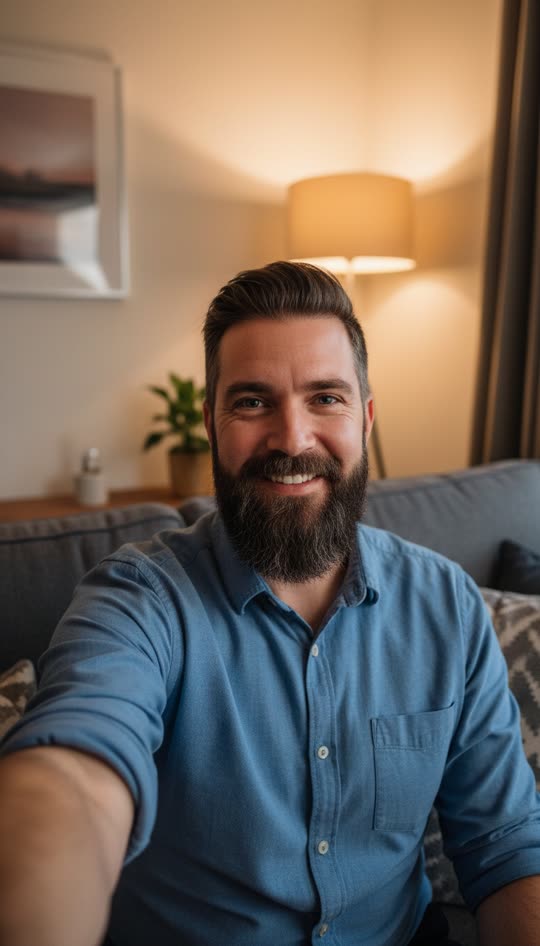
Photos that make the best Halloween ghost videos
Dim, cozy light
A lamp-lit living room or a hallway at night looks far creepier than bright daylight.
A doorway or corner behind you
Dark spaces over your shoulder give the ghost somewhere to come from.
A real smile
The happier you look, the bigger the contrast when people spot her.
Just you in the frame
One person facing the camera works best. Group photos confuse the effect.
Before and after
One photo in, an 8 second video out. Examples use AI-generated adult models.
FAQ
Is it too scary for a Halloween prank?
It is creepy, not gory: there is no blood or violence. Slow creep is the gentler one; Sudden lunge is a jump scare.
Can I prank someone with their own photo?
Only with photos of adults who would be fine with it. Do not use photos of children or of people you do not know.
Can I make more than one video for Halloween?
Yes. Packs make it cheaper: $9.90 for 3 videos or $19.90 for 10, and unused videos never expire, so you can save the rest for next Halloween.
How do I send it so it plays right away?
Download the MP4 and send it as a video in iMessage, WhatsApp, Messenger or Snapchat. Videos autoplay in most chats, which makes the prank land better than a link.
Is the ghost filter prank free?
Every new account gets one free preview: the first 5.5 seconds of your own video with a small watermark, so you can see the ghost appear next to you. It stops just before the ending. The full 8 second video with the ending, no watermark and an MP4 download costs $4.99, or $9.90 for 3 and $19.90 for 10. It's a one-time payment, not a subscription.
How long does it take?
Usually about a minute. The finished video is 8 seconds long, vertical 9:16, with an eerie sound sting.