
Ghost Filter Prank for TikTok – From One Photo
Get the viral "ghost behind you" TikTok video without filming anything: upload a selfie and download a 9:16 MP4 ready for TikTok, Reels and Shorts.
Use a front-camera selfie with some room behind your shoulder. No mirror selfies (the mirror gets its own ghost).
Free preview of the first 5.5s. Unlock the ending + HD download from $4.99. Sign in when you click Generate.
What is the TikTok ghost filter trend?
Creators post a calm selfie video while a ghost slowly appears behind their shoulder. They never react, the comments go wild, and friends send it on to someone who has no idea it is a filter.
The in-app versions need you to film live and often look like a flat sticker. Ghost Filter Prank AI builds the whole video from a photo, with the ghost lit like your room and moving in 3D behind you.
How to post it on TikTok
1. Download the MP4
Tap Download once your video is ready. It is already vertical 9:16.
2. Upload in TikTok
Tap + then Upload and pick the video. Keep the original sound on.
3. Caption it like it is real
Try "Something felt off when I took this…" or "Why is there someone behind me?" and tag #ghostfilter #ghostprank #halloween.
Pick your style
Slow creep
The classic: the ghost peeks out, glides up to your cheek and stares into the camera. Best for "did you see it?" posts.
Sudden lunge
Same build-up, then she snaps toward the lens at 6 seconds. Best for jump-scare reactions.
Caption ideas that make people look twice
The best ghost filter posts never mention the ghost. Write the caption as if nothing is wrong, so viewers feel like they discovered it themselves. A few that work well:
"First night in the new apartment 🥰"
Pairs perfectly with a selfie in a hallway or an empty room.
"Why does my camera keep focusing behind me?"
Makes people scan the background before they see her.
"Home alone tonight, finally some peace"
A classic setup for the Slow creep ending.
"Something felt off when I took this…"
Hints at a story and drives "I see it!" comments.
"POV: you never check behind you"
Works great with the Sudden lunge jump scare.
"Testing a new beauty filter, thoughts?"
The innocent framing makes the reveal land harder.
How to give your ghost video the best chance on TikTok
Hook in the first second
Add on-screen text like "wait for it" or "look at my left shoulder". TikTok decides fast whether people keep watching.
Keep the original sound
The rising hum and the sting are part of the scare. Add trending audio quietly underneath rather than replacing it.
Let it loop
Eight seconds loops cleanly. Many viewers watch twice to find the ghost, which boosts watch time.
Post in the evening
Creepy content performs best when people scroll in the dark, especially in October.
Answer comments with a second video
When people ask "is this real?", reply with a video using the other style. Each reply is a new chance to reach the For You page.
Use a few relevant hashtags
Try #ghostfilter, #ghostprank, #halloweenprank and #scary instead of a long list of unrelated tags.
What you need
Just one selfie and a browser. The photo can be new or an old one from your camera roll, as long as your face is clear and there is some background behind your shoulder. You do not need the TikTok app open, a tripod, a second person or any editing skills, and you do not have to act scared or hold still. The AI animates your face for you, so the video looks like you filmed it yourself.
Reaction videos: the second half of the trend
The ghost video gets attention, but reactions get shares. Send the clip to a friend, partner or parent and, with their permission, film their face while they watch. Post the two side by side with TikTok's split-screen layout, or use Stitch so your reaction plays right after the ghost appears.
If you are the one being filmed, play along: lean in to the screen, go quiet, then react when the ghost reaches the cheek. Sudden lunge usually gets the bigger jump, while Slow creep gets the long "wait… WAIT" reactions that people love to watch.
Common mistakes to avoid
Mirror selfies
A mirror shows the room twice, which can create a second ghost. Use the front camera instead.
Cropping too tight
If your face fills the whole photo, there is no room for the ghost to appear behind you.
Heavy beauty filters
Strong smoothing makes faces look waxy once they move. A natural photo animates better.
Posting the preview
The free preview is short and watermarked so you can check the effect. Unlock the full HD video for posting.
How to make a ghost filter prank in 3 steps
- 1
Upload one selfie
Pick a clear, face-to-camera selfie with a little room behind your shoulder. Front-camera photos work best; skip mirror selfies.
- 2
Pick the scare
Slow creep has the ghost rise slowly until she is cheek to cheek with you. Sudden lunge adds a fast snap toward the camera at the end.
- 3
Generate and send
Click Generate, sign in with Google or email, and get an 8 second 9:16 MP4 in about a minute. Download it and send it or post it on TikTok.
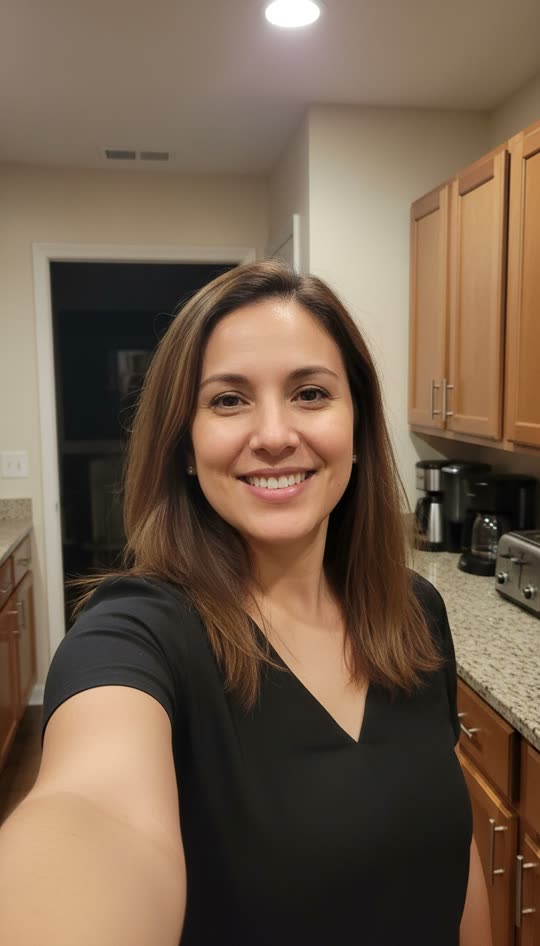
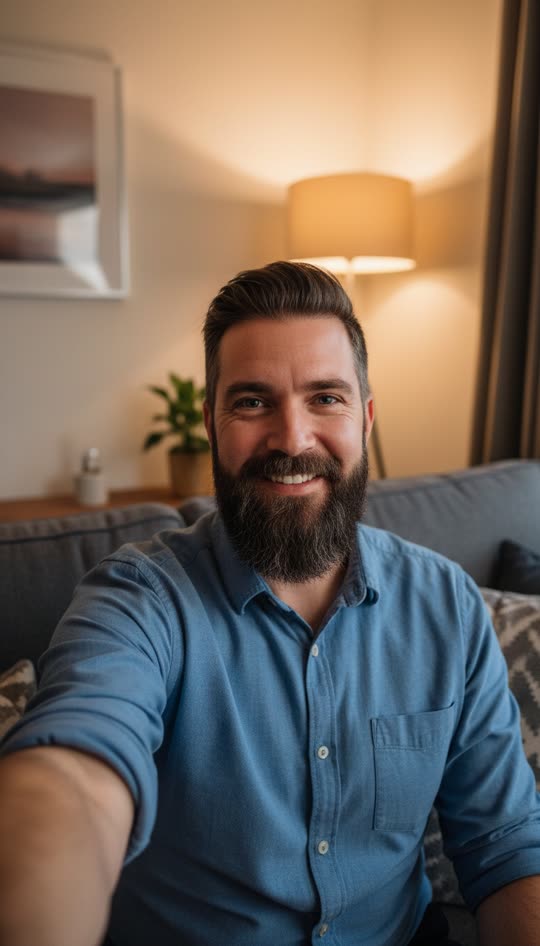
Before and after
One photo in, an 8 second video out. Examples use AI-generated adult models.
FAQ
Do I need the TikTok ghost filter to do this?
No. You only need one selfie. We make the full video and you upload it to TikTok like any other clip.
Will TikTok accept the video?
Yes. It is a standard 8 second 9:16 MP4 with sound, the same format as a normal phone video.
Can I also post it on Instagram Reels or YouTube Shorts?
Yes. Reels and Shorts use the same vertical 9:16 format, so you can post the same file everywhere without cropping.
Does the video have a watermark?
Paid videos have no watermark. Only the free 5.5 second preview is watermarked.
Is the ghost filter prank free?
Every new account gets one free preview: the first 5.5 seconds of your own video with a small watermark, so you can see the ghost appear next to you. It stops just before the ending. The full 8 second video with the ending, no watermark and an MP4 download costs $4.99, or $9.90 for 3 and $19.90 for 10. It's a one-time payment, not a subscription.
Is it safe for kids to watch?
The ghost is creepy, never gory: no blood, no wounds, no skulls. It is still a scare, and Sudden lunge is a jump scare, so for younger kids pick Slow creep or watch it together first. Please do not upload photos of children.